You can monitor your E-Rickshaw lithium-ion battery from your mobile with the BAT-BMS App. This app allows you to connect your battery wirelessly via Bluetooth and monitor the battery charge percentage, voltage, current, temperature, and charge and discharge switch.
|
App Name |
BAT-BMS |
|---|---|
|
App Size |
12.48 MB |
|
Latest Version |
v1.1.0 |
|
Category |
Utility Tool |
|
Downloads |
10K+ |
|
Language |
English |
|
Last Update |
09 July 2026 |
|
Get it on |
|
|
License |
Free |
|
Developers |
SHENZHEN GRENERGY |
|
OS |
Android 17.0 |
About BAT-BMS App
BAT-BMS App is an E-Rickshaw lithium-ion battery monitor app. You can connect the BMS Module (Battery Management System) to your phone with the help of Bluetooth. BMS Module found inside the E-Rickshaw lithium battery. BAT-BMS App shows battery SOC (state of charge) and charge/discharge switch in real time.
This app is useful for E-Rickshaw drivers, and E-Rickshaw drivers must have this app. You can check the status of more than one battery with the help of the BAT-BMS app. This is a Chinese app that is developed by SHENZHEN GRENERGY.
Disclaimer
This app is only for E-rickshaw drivers so that they can check the battery status of their E-rickshaw. Do not use this app to turn off the battery of any rickshaw. Doing so is a crime, and you could even be jailed.
Warning: यह ऐप केवल ई-रिक्शा चालकों के लिए है ताकि वे अपने रिक्शा की बैटरी की स्थिति की जांच कर सकें। इस ऐप का उपयोग किसी भी ई-रिक्शा की बैटरी बंद करने के लिए न करें। ऐसा करना अपराध है और इसके लिए आपको जेल भी हो सकती है।
BAT-BMS Features
Charge and Discharge Switch
You can ON/OFF the battery charge/discharge switch
Live Battery Percentage
You can check the battery charge percentage in real time.
Connect with Bluetooth
Connect your E-Rickshaw battery to your mobile.
Operating Distance
E-Rickshaw and Mobile Operating distance ≤ 15m
Display SOC, Voltage, Current
Display Battery status such as SOC, voltage, and temperature
Track Cycle Life
You can track the battery cycle life on each battery on the same screen.
Need Bluetooth 5.0
Your phone needs Bluetooth 5.0 with BLE.
Connect multiple batteries
You can connect multiple batteries from your mobile.
App Screenshots
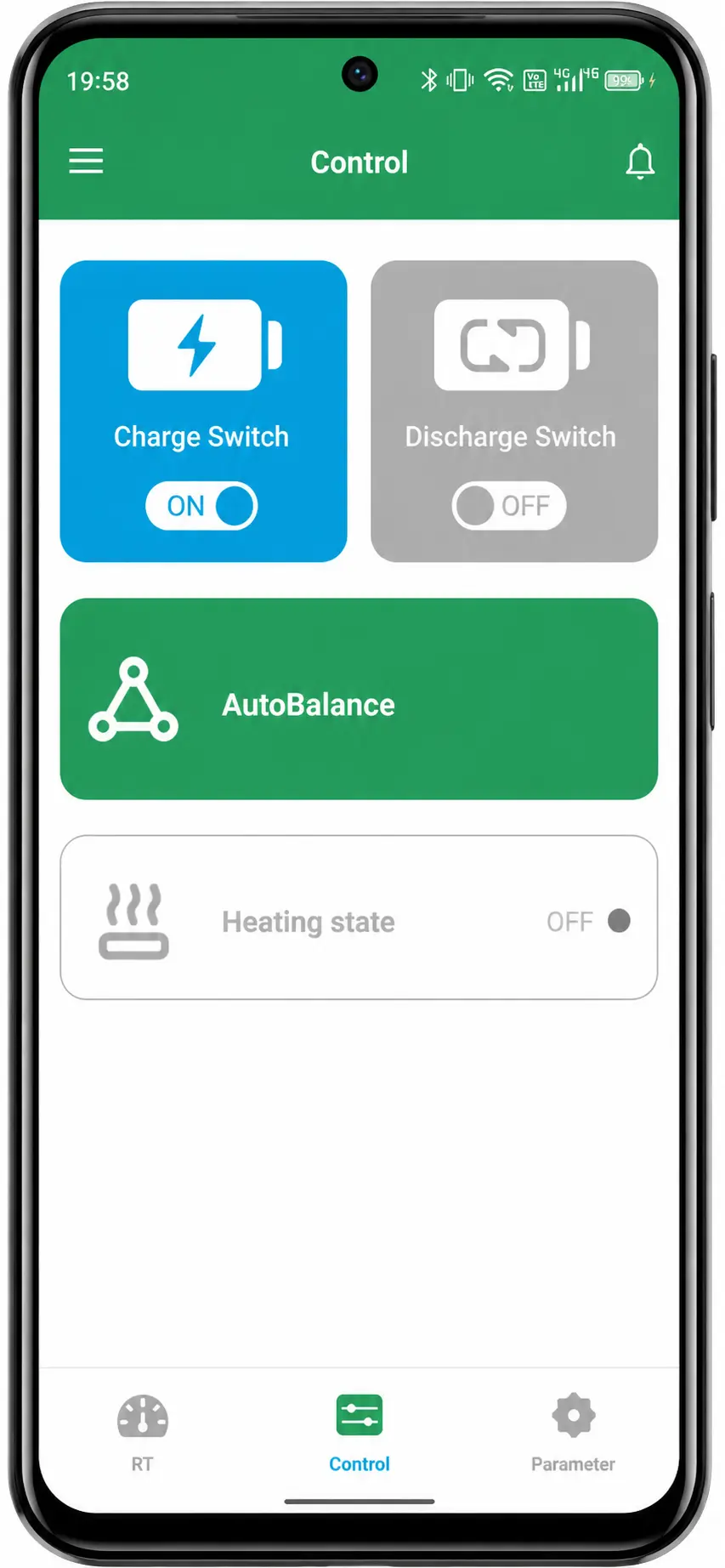
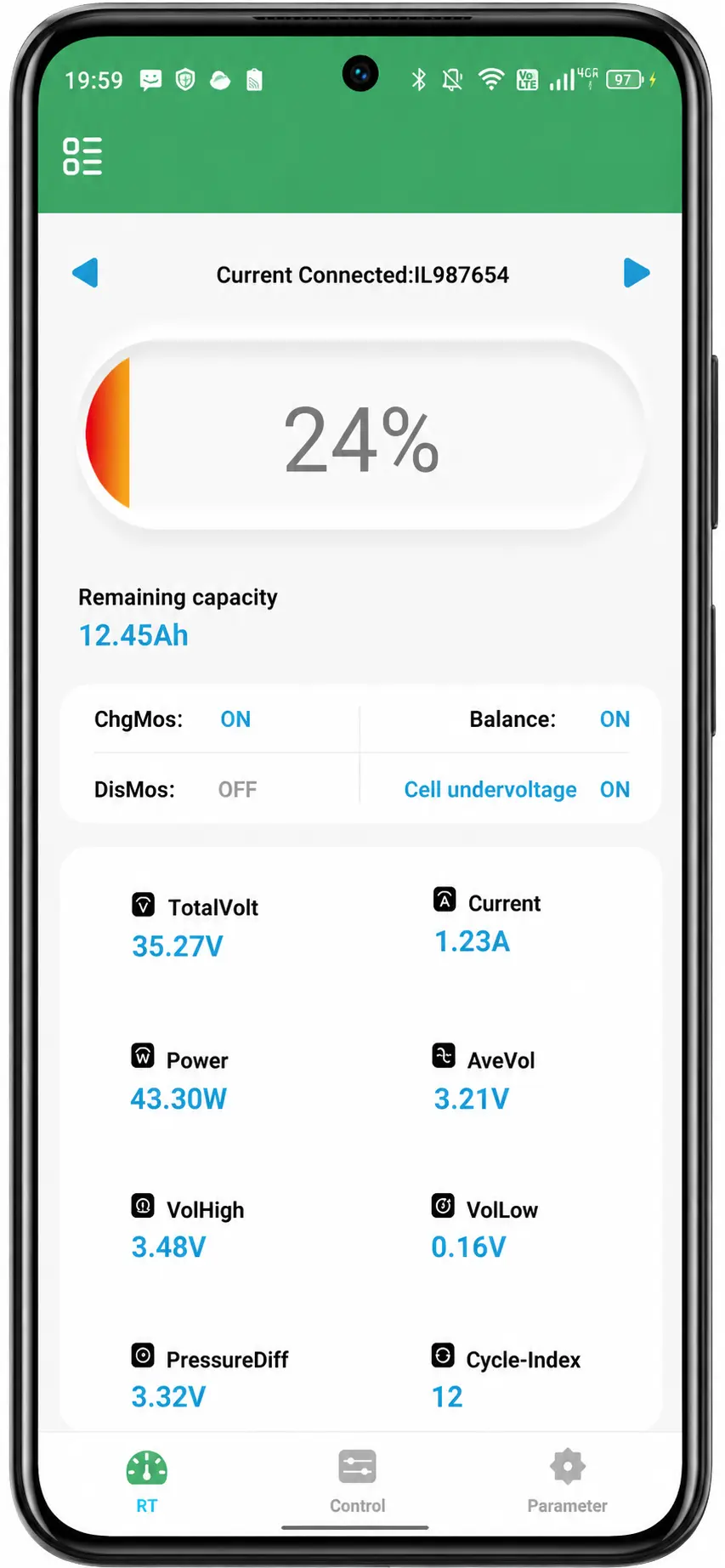
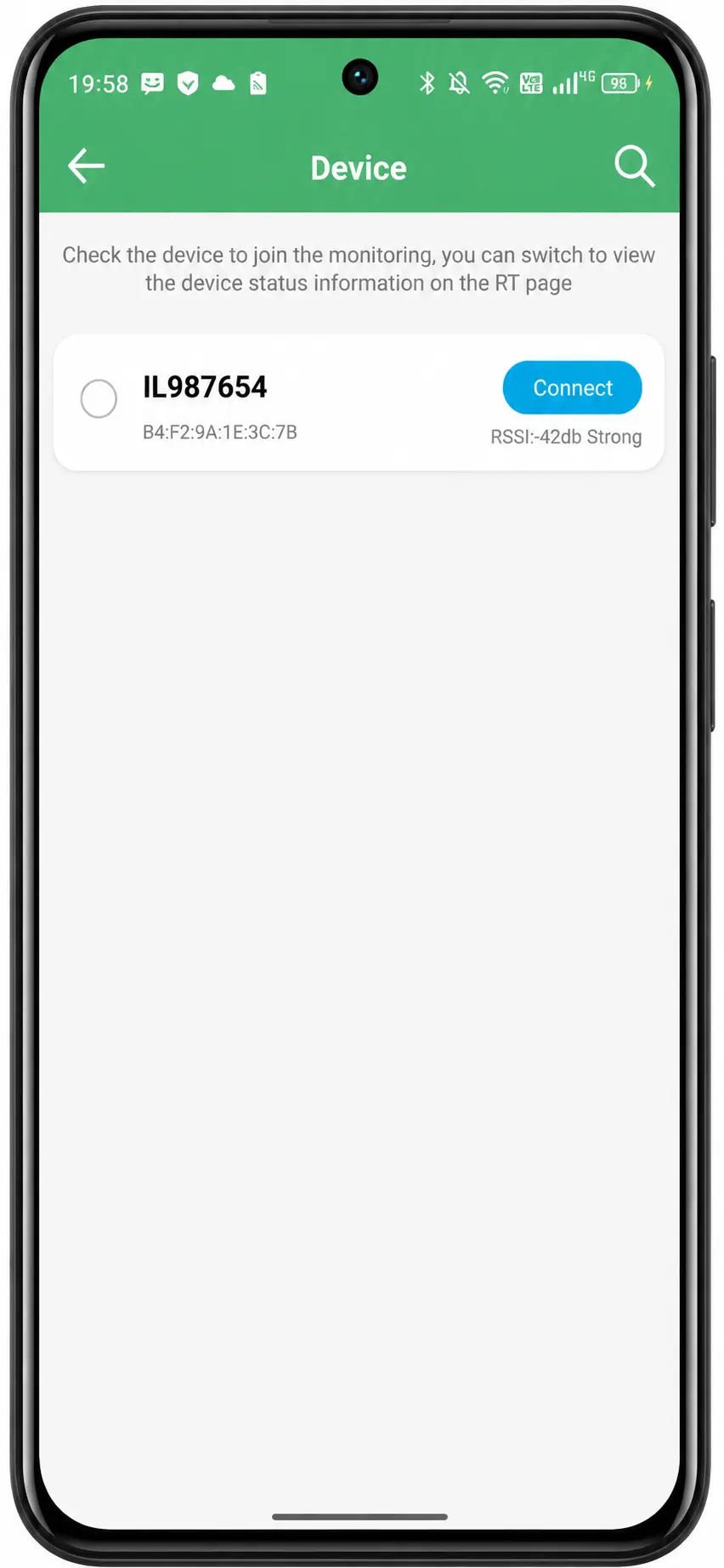
How to use the BAT BMS App?
- Download the BAT BMS App from the above download button.
- Install this app on your mobile device.
- Turn “ON” your mobile’s Bluetooth.
- Connect the Lithium battery via Bluetooth. Ensure the battery serial number before connection.
- Now check the battery status, battery charging percentage, charge/discharge switch, voltage, current, and temperature.
Frequently Asked Questions (FAQs)
Q. What is the BAT BMS App?
Ans. BAT-BMS is an E-Rickshaw lithium battery monitoring app for your mobile. This app helps you to check the battery status in one click. You can “ON/OFF” the battery charging from this App.
Q. Is the BAT BMS App free or paid?
Ans. This app is totally free of cost.
Q. Where to download the BAT BMS App?
Ans. You can download the app from the Google Play Store or from the download button above.